FREE PLAN | 7-DAY FREE TRIAL
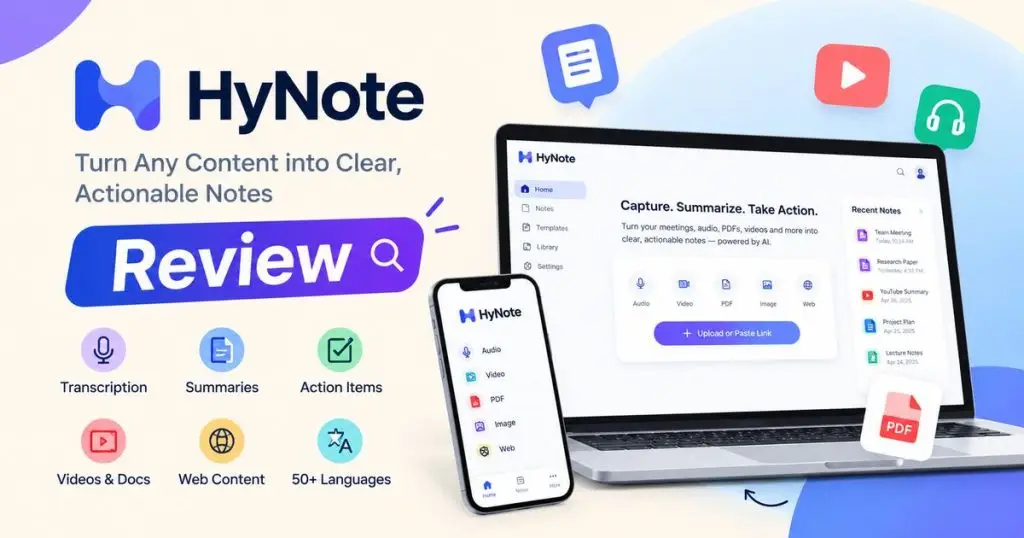
HyNote AI Review
Vendor: Turing Intelligence LLC
Discover our HyNote AI review for 2026. Explore AI note-taking, transcription, meeting summaries, key features, pricing, pros and cons, and alternatives.
★★★★★ 4.5 AffinityAlly rating
TL;DR
- AI-Powered Notes: Transcribes audio and converts meetings into searchable notes.
- Smart Summaries: Summarizes PDFs, videos, and web content into key takeaways.
- Time-Saving Productivity: Extracts action items and organizes information in one workspace.
Quick Overview
Alternative to
- Otter.ai
- Fireflies.ai
- Notion AI
- Fathom
- NotebookLM
Best for
- Students
- Researchers
- Remote Teams
- Content Creators
- Meeting-Heavy Professionals
- Productivity Enthusiasts
Compatibility
- Web browser, Chrome extension, iOS, Android, Apple Watch, Mac
What is HyNote AI Review?
HyNote AI Review is an in-depth evaluation of HyNote AI, an AI-powered note-taking tool that transcribes audio, summarizes meetings and documents, and extracts key points and action items. This review covers its features, pricing, pros and cons, usability, and alternatives to help you decide whether HyNote AI is worth using.
Features
AI Audio Transcription
Record or upload audio and convert speech into searchable text for easier review and reference.
AI Meeting Notes
Turn recorded meetings into structured notes, key decisions, and discussion summaries without requiring a meeting bot.
AI Summarization
Create concise summaries from recordings, documents, videos, and other supported content.
Action Item Extraction
Identify tasks, decisions, owners, and deadlines from meeting notes and supported source material.
Multimodal Content Import
Bring together audio, video, PDFs, images, text, YouTube links, and web pages in one workspace.
50+ Language Transcription
Transcribe supported audio in multiple languages; actual results may vary with accents, recording quality, and background noise.
Speaker Identification
Identify and label speakers in supported recordings; availability depends on the subscription plan.
AI Translation
Translate supported notes and follow conversations with live translation on eligible paid plans.
Professional Templates
Use 30+ templates for meeting minutes, interviews, project planning, SWOT analysis, follow-up emails, and more.
AI PDF Summarizer
Summarize documents and extract useful information from supported PDFs.
YouTube & Video Summaries
Turn supported video content into transcripts, summaries, and key takeaways.
AI Image-to-Text OCR
Extract readable text from supported images and screenshots.
Chat with All Notes
Ask questions across your saved notes and retrieve relevant information with source references.
Study Tools
Generate flashcards, quizzes, study plans, and other learning materials from supported content.
Content Generation
Create supported outputs such as podcast scripts, slides, infographics, and blog content using available credits.
Cross-Device Sync
Access and synchronize notes across supported web and mobile experiences.
Export & Integrations
Export transcripts and transfer notes to tools such as Google Docs and Notion, depending on your plan.
Plans & Pricing
Free
$0$6.66 /month
- Audio Recording and Transcription
- up to 120 Minutes Per Session
- Professional Templates
- File Uploads
- Device sync
- Calendar integration
Pro
$6.66$11.99 /month
- 1,200 transcription minutes per month
- 300 One-Time Podcast, Slides, and Infographic Credits
- High-Accuracy Notes Translation
- Transcript export
Plus
$10.83$18.99 /month
- Pro features
- 1,200 Minutes of Real-Time Audio Transcription Per Month
- Speaker Identification
- 400 One-Time Content-Generation Credits
- Live Translation
- Google Docs and Notion transfer
Unlimited
$15.83$24.99 /month
- Plus features
- Unlimited Real-Time Audio Transcription
- 600 One-Time Content-Generation Credits
- Unlimited Private Storage
- CRM Integration
Teams
$15$20 per seat/month
- Advanced Features
- Team Templates
- Admin Controls
- Priority Support
- Starts at Two Seats
Deal Terms
- A free plan is available for 7 days.
- Paid plans automatically renew unless cancelled.
- Annual prices are billed yearly at the listed annual amount.
- Teams starts at two seats.
- Content-generation tools use credits, with consumption depending on the type and size of output.
- Advanced features and usage limits vary by plan.
- Confirm current pricing, trial conditions, and included credits at checkout.
Refund Policy
HyNote's official FAQ states that paid plans are covered by a 7-day money-back guarantee. Customers who are not satisfied should contact contact@hynote.ai within seven days of the initial purchase to request a full refund.
Frequently Asked Questions
What is HyNote AI?
HyNote is an AI-powered note-taking and productivity platform that transcribes audio, summarizes content, organizes notes, and extracts actionable information.
Does HyNote have a free plan?
Yes. Its Free plan costs $0 and does not require a credit card according to the official pricing page.
Does HyNote offer a free trial?
Yes. The Pro, Plus, and Unlimited plans advertise a 7-day free trial. The subscription automatically converts to a paid plan unless cancelled before the trial ends.
Can HyNote record meetings without a bot?
Yes. It can capture supported audio through its app or browser tools without requiring a separate meeting bot to join the call.
Which languages does HyNote support?
The company advertises transcription in 50+ languages. Live transcription language availability varies by platform.
Can I summarize PDFs and YouTube videos?
Yes. HyNote supports PDF and other document workflows, as well as supported YouTube and video content.
Can HyNote identify speakers?
Speaker identification is available on eligible paid plans, including Plus and Unlimited.
Can I export my notes?
Transcript export is included with Pro, while Plus and higher plans add transfers to services such as Google Docs and Notion.
Can I cancel my subscription?
Yes. The company says subscriptions can be cancelled. Follow the instructions for your purchase method and remember that uninstalling the app alone does not cancel a subscription.
Our Review
✅ AffinityAlly Verdict
HyNote AI is a promising all-in-one productivity tool for people who regularly work with meetings, lectures, recordings, PDFs, and online content. Its strongest selling point is the ability to bring transcription, AI summaries, action-item extraction, templates, and note organization into one workflow.
Pros
- Free plan available.
- Combines transcription, summaries, and action items.
- Supports audio, video, PDFs, images, and web content.
- Meeting capture without a separate meeting bot.
- Professional templates for common workflows.
- Cross-device access and synchronization.
- Study and content-generation tools.
- Multiple subscription tiers for different needs.
- 7-day money-back guarantee advertised in the official FAQ.
Cons
- Advanced features require a paid subscription.
- Paid plans can automatically renew.
- Content-generation credits have limits.
- Transcription quality depends on audio quality, background noise, and accents.
- Feature and language availability may vary by platform and plan.
- Some integrations and export features are restricted to higher tiers.
- The refund FAQ and Terms of Use should be reviewed together.