Complete SEO Audit Checklist
Find and fix every issue holding your site back—technical SEO, on-page, content, backlinks, and AI overview readiness. All in one guide.
You can publish the best content in your niche. You can spend hours crafting every sentence. But if your website has fundamental SEO issues lurking under the hood, Google will never rank you where you deserve to be.
That’s exactly why SEO audits exist — and why performing one regularly is the single most impactful thing you can do for your organic traffic. In this guide, I’m sharing the exact SEO audit process I use when working with clients—the same process that helped one client grow from 0 to 10K monthly visits in 4 months.
This checklist covers every layer of your website — from technical foundations to content quality to off-page authority — with a clear, prioritized action plan to fix whatever you find.
📌 What You’ll Need Before Starting
What Is an SEO Audit (and Why It Matters in 2026)

An SEO audit is a comprehensive review of your website’s ability to appear in search engine results pages (SERPs). It examines everything from how Google crawls and indexes your pages to how your content compares to competitors — and identifies exactly what’s holding you back.
In 2026, SEO audits matter more than ever because of three major shifts:
- Google’s AI Overviews now appear above traditional blue links — weak E-E-A-T signals can cost you traffic even if you rank #1.
- Interaction to Next Paint (INP) has replaced FID as a Core Web Vitals metric — many sites are silently failing this new benchmark.
- AI-generated content flooding the web has made content quality signals and author authority more important than ever before.
Just like you’d get a blood test before treating a health problem, an SEO audit shows you exactly what’s wrong before you start spending time and money fixing things. Without it, you’re guessing.
Technical SEO Audit

Technical SEO is the foundation. If Google can’t crawl, render, and index your pages correctly, nothing else matters. Start here before anything else.
Crawlability & Indexation
Open Google Search Console → Coverage → Pages. Look for errors (red) and warnings (orange). Note every issue and cross-reference with a Screaming Frog crawl.
| ✓ | Crawlability Checklist Item |
|---|---|
| ☐ | Submit an updated XML sitemap to Google Search Console |
| ☐ | Check robots.txt — ensure it’s not blocking important pages, CSS, or JS files |
| ☐ | Use URL Inspection tool to verify key pages are indexed |
| ☐ | Look for “Discovered – currently not indexed” issues and resolve them |
| ☐ | Fix all crawl errors shown in GSC → Coverage report |
| ☐ | Ensure no important pages carry a noindex tag accidentally |
| ☐ | Verify canonical tags are correct and not creating conflicting signals |
| ☐ | Check for redirect chains (301→301→200) and flatten them to one hop |
| ☐ | Confirm pagination is handled properly (canonical or rel=next/prev) |
| ☐ | Ensure hreflang tags are correct if running a multilingual site |
Use Screaming Frog (free up to 500 URLs) to crawl your entire site and export a full list of all pages, status codes, and redirect chains in minutes. For sites over 500 URLs, use the 14-day Screaming Frog Pro trial.
Site Speed & Core Web Vitals
Page speed is a confirmed Google ranking factor. In 2026, all three Core Web Vitals — LCP, CLS, and INP — are part of the Page Experience signal. Run your site through Google PageSpeed Insights and GSC’s Core Web Vitals report. Aim for “Good” on all three metrics, on both mobile and desktop.
| ✓ | Core Web Vitals Checklist Item |
|---|---|
| ☐ | LCP (Largest Contentful Paint) — target under 2.5 seconds |
| ☐ | INP (Interaction to Next Paint) — target under 200 milliseconds |
| ☐ | CLS (Cumulative Layout Shift) — target under 0.1 |
| ☐ | Compress all images (use WebP format where possible) |
| ☐ | Enable lazy loading for images below the fold |
| ☐ | Minify CSS, JavaScript, and HTML files |
| ☐ | Use a CDN (Cloudflare free tier is excellent) |
| ☐ | Enable browser caching with appropriate headers |
| ☐ | Reduce server response time (TTFB under 600ms) |
| ☐ | Remove unused JavaScript — check Chrome DevTools Coverage tab |
Mobile-Friendliness
Google uses mobile-first indexing — the mobile version of your site is what Google primarily uses for ranking. Non-negotiable in 2026.
| ✓ | Mobile SEO Checklist Item |
|---|---|
| ☐ | Test with Google’s Mobile-Friendly Test tool |
| ☐ | Ensure text is readable without zooming (min 16px font size) |
| ☐ | Tap targets are at least 48×48px and not too close together |
| ☐ | No horizontal scrolling on mobile screens |
| ☐ | Pop-ups / interstitials don’t block main content on mobile |
| ☐ | Mobile and desktop content is identical (mobile-first indexing) |
| ☐ | Test on real devices, not just browser emulators |
HTTPS & Security
| ✓ | Security Checklist Item |
|---|---|
| ☐ | Site runs on HTTPS (padlock visible in browser) |
| ☐ | HTTP pages redirect to HTTPS with a 301 |
| ☐ | SSL certificate is valid and not expiring within 30 days |
| ☐ | No mixed content warnings (HTTP assets on HTTPS pages) |
| ☐ | No malware warnings in GSC → Security Issues |
Structured Data / Schema Markup
Schema markup helps Google understand your content and can earn rich results — star ratings, FAQs, HowTos — which dramatically increase click-through rates.
| ✓ | Schema Markup Checklist Item |
|---|---|
| ☐ | Add the article schema to all blog posts (author, datePublished, image) |
| ☐ | Add FAQPage schema to posts with Q&A sections. |
| ☐ | Add HowTo schema to step-by-step guides |
| ☐ | Add a review schema to tool reviews (with ratingValue and reviewCount) |
| ☐ | Add BreadcrumbList schema for navigation |
| ☐ | Validate all schema using Google’s Rich Results Test |
| ☐ | Fix any errors shown in GSC → Enhancements reports |
On-Page SEO Audit

Once technical issues are addressed, on-page SEO determines whether your individual pages are properly optimized for their target keywords.
Keyword Targeting & Cannibalization
Every page should target one primary keyword and 3–5 related semantic keywords. If multiple pages target the same keyword, they compete with each other — and neither ranks well.
| ✓ | Keyword Targeting Checklist Item |
|---|---|
| ☐ | Every key page targets exactly one primary keyword |
| ☐ | The primary keyword appears in the title tag, H1, and first 100 words |
| ☐ | Related semantic/LSI keywords are used naturally throughout |
| ☐ | No two pages target the same primary keyword (check for cannibalization) |
| ☐ | Use GSC Performance report to identify cannibalization issues |
In GSC → Performance, filter by a keyword and check if multiple pages are ranking for it. Pick one “winner” page, update it to be the best on the topic, then either redirect the weaker pages to it or update them to target different keywords.
Title Tags & Meta Descriptions
| ✓ | Title Tag & Meta Description Item |
|---|---|
| ☐ | Every page has a unique title tag (no duplicates) |
| ☐ | Title tags are 50–60 characters and include primary keyword early |
| ☐ | Title tags are compelling and click-worthy—they’re your SERP ad |
| ☐ | Every page has a unique meta description (120–155 characters) |
| ☐ | Meta descriptions include the target keyword and a clear CTA |
| ☐ | No pages are missing title tags or meta descriptions |
Heading Structure (H1–H6)
| ✓ | Heading Structure Checklist Item |
|---|---|
| ☐ | Every page has exactly one H1 tag |
| ☐ | H1 includes the primary keyword |
| ☐ | H2s cover main sections with secondary keywords |
| ☐ | Heading hierarchy is logical (H1 → H2 → H3, never skipping) |
| ☐ | Headings are descriptive and help readers navigate the page |
Internal Linking
Internal links distribute PageRank across your site and help Google understand content relationships. Most sites massively underuse this—it’s free traffic waiting to be unlocked.
| ✓ | Internal Linking Checklist Item |
|---|---|
| ☐ | Every new post links to at least 3–5 relevant older posts |
| ☐ | Older posts are updated to link to newer relevant content |
| ☐ | Important pages (services, pillar content) have the most internal links |
| ☐ | Anchor text is descriptive and includes target keywords naturally |
| ☐ | No orphan pages exist (use Screaming Frog: Reports → Orphan Pages) |
| ☐ | No broken internal links (404s from your own pages) |
| ☐ | Breadcrumb navigation is implemented sitewide |
Content Audit

A content audit helps you identify which pages to improve, consolidate, or remove. Not all content deserves to stay — thin, duplicate, or outdated pages actively hurt your rankings.
Export all URLs from Screaming Frog or your sitemap, pull performance data from GSC, and categorize every page into one of four buckets:
| ✓ | Content Audit Checklist Item |
|---|---|
| ☐ | Export all URLs and match with GSC Performance data (clicks, impressions, CTR, position) |
| ☐ | Identify pages ranking positions 6–20 — these are low-hanging fruit to optimize |
| ☐ | Find pages with high impressions but low CTR—rewrite title and meta description |
| ☐ | Mark content with zero clicks in 12+ months for improvement or removal |
| ☐ | Merge thin posts on the same topic into one comprehensive pillar post |
| ☐ | Update all statistics, tool recommendations, and dates in old posts |
| ☐ | Add FAQ sections to key posts to target featured snippet opportunities |
| ☐ | Ensure every post has a clear call to action (newsletter, service, related posts) |
In GSC → Performance, click “Position” to sort. Filter by positions 6–20. These pages are almost ranking on page 1. Strengthen their internal links, improve their content depth, and update their title tags. Most will jump to page 1 within 4–8 weeks.
Off-Page & Backlink Audit

Your backlink profile is one of the most powerful ranking signals. This section helps you understand who’s linking to you, identify toxic links, and discover new link-building opportunities.
| ✓ | Backlink Audit Checklist Item |
|---|---|
| ☐ | Check total referring domains in Ahrefs, Semrush, or Moz |
| ☐ | Check for manual actions in GSC → Security & Manual Actions |
| ☐ | Identify your top linked pages—are the right pages getting the most links? |
| ☐ | Find toxic or spammy backlinks (low-DA, foreign spam, link farms) |
| ☐ | Disavow toxic links using Google’s Disavow Tool if you have a manual penalty |
| ☐ | Check anchor text distribution—over-optimized exact-match anchors are a red flag |
| ☐ | Use Ahrefs’ “Link Intersect” or Semrush’s “Backlink Gap” to find competitor backlinks |
| ☐ | Find unlinked brand mentions and reach out to request the link |
| ☐ | Set up Google Alerts for your brand name to monitor new mentions |
AI Overviews & E-E-A-T Readiness New for 2026

This is the most important new section for 2026. Google’s AI Overviews now appear at the top of results for millions of queries — and they pull content from sources that demonstrate strong E-E-A-T signals. Ignoring this section means leaving a massive visibility opportunity on the table.
| ✓ | AI Overviews & E-E-A-T Checklist Item |
|---|---|
| ☐ | Author bylines are present on all posts with a link to a detailed author bio page |
| ☐ | Author bio demonstrates real expertise: credentials, social profiles, work history |
| ☐ | Content includes first-hand experience and original insights — not just regurgitated info |
| ☐ | Key statistics and claims link to authoritative primary sources |
| ☐ | Content is structured with clear H2/H3 hierarchy (helps AI parse your content) |
| ☐ | FAQ sections are present on key posts (commonly pulled into AI Overviews) |
| ☐ | Your content directly answers the user’s core question within the first 200 words |
| ☐ | Content is regularly updated—stale content is rarely featured in AI Overviews |
| ☐ | No keyword stuffing—keywords appear naturally in the flow of writing |
| ☐ | Images have descriptive alt text that includes keywords naturally |
| ☐ | An “About” page clearly establishes who you are and your qualifications |
AI Overviews tend to pull from pages that: (1) directly answer a question in the first 2–3 sentences, (2) have strong E-E-A-T signals, (3) use structured data, and (4) are cited by other authoritative pages. Write for humans first — but structure your content so AI can parse it easily.
Analytics & Tracking Audit
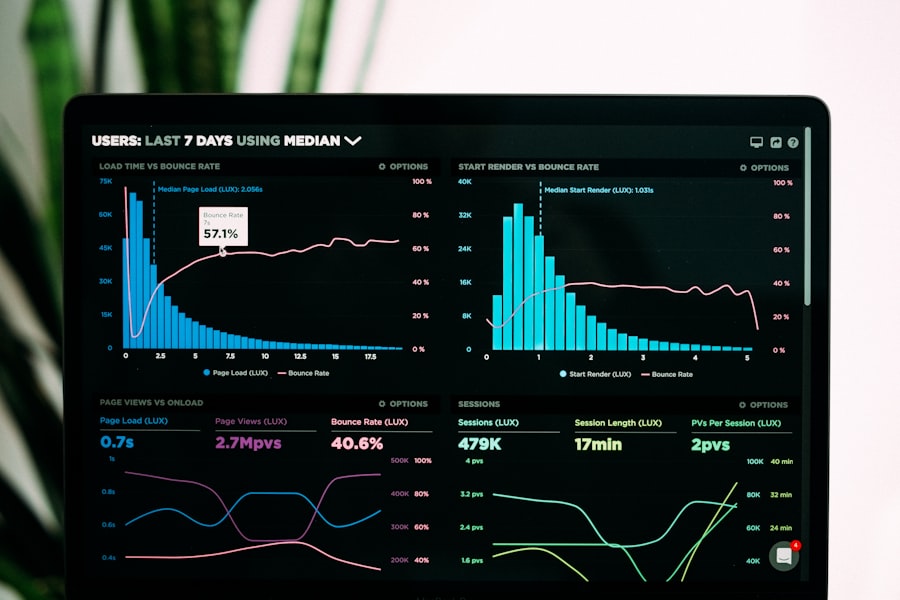
You can’t improve what you don’t measure. This section ensures your data is clean, accurate, and telling you what’s actually happening on your site.
| ✓ | Analytics & Tracking Checklist Item |
|---|---|
| ☐ | Google Analytics 4 is installed and tracking correctly on all pages |
| ☐ | GSC is verified and linked to GA4 |
| ☐ | GA4 is filtering out your own IP address (internal traffic excluded) |
| ☐ | Key events are tracked: form submissions, CTA clicks, newsletter signups |
| ☐ | Google Tag Manager is set up for efficient tag management |
| ☐ | Keyword rankings are tracked weekly using a rank tracker (SERPWatcher, Ahrefs) |
| ☐ | Core Web Vitals are reviewed monthly in GSC → Experience |
How to Prioritize Your Fixes

After completing your audit, you’ll likely have a long list of issues. Don’t panic — and don’t try to fix everything at once. Use this priority framework:
| Priority | Fix First | Timeline |
|---|---|---|
| 🔴 Critical | Index errors, manual penalties, broken site, HTTPS issues | Immediately |
| 🟠 High | Core Web Vitals failures, missing title tags, keyword cannibalization, INP issues | Week 1–2 |
| 🟡 Medium | Thin content, missing schema, orphan pages, internal link gaps, E-E-A-T improvements | Month 1 |
| 🟢 Low | Meta description tweaks, URL optimizations, image alt text, minor schema additions | Month 2–3 |
How Often Should You Run an SEO Audit?
| Audit Type | Recommended Frequency |
|---|---|
| Full Technical Audit | Every 6 months |
| Content Audit | Every 6–12 months |
| Backlink Audit | Every 3–6 months |
| Core Web Vitals Check | Monthly (via GSC) |
| Quick Crawl Check | Monthly (Screaming Frog) |
| Rank Tracking Review | Weekly |
How to Execute Your SEO Audit (Step by Step)
Screenshot or export your current GSC data — clicks, impressions, average position, and Core Web Vitals. You’ll need this to measure improvement after fixes are made.
Set Screaming Frog crawling and let it finish before you do anything else. Export all data to a spreadsheet — this is your master list of technical issues.
Open GSC → Pages → Coverage. Note every error and warning. Then open GSC → Performance → Pages to see which URLs are actually getting impressions and clicks.
Go section by section. Don’t skip any. Add every issue you find to a master spreadsheet with columns for issue, page URL, priority, status, and owner.
Use the priority framework above. Batch fixes by type—all redirect fixes together, all meta description updates together—so you work efficiently.
After implementing fixes, submit affected URLs to GSC for re-indexing. Monitor Core Web Vitals and ranking changes weekly for 4–8 weeks after major changes.
📚 Related Reading on AffinityAllyPro
Frequently Asked Questions
How long does an SEO audit take?
Can I do an SEO audit for free?
What’s the most important part of an SEO audit?
What is keyword cannibalization, and how do I fix it?
How often should I run an SEO audit?
Do I need to hire an SEO consultant for an audit?
What is E-E-A-T, and why does it matter in 2026?
Final Thoughts: Your SEO Audit Is the Starting Line
Running a thorough SEO audit is not a one-time event — it’s an ongoing practice that keeps your site healthy, competitive, and growing. The websites that consistently outrank their competitors aren’t just the ones with the best content. They’re the ones that systematically find and fix issues before they become traffic problems.
Use this checklist as your foundation. Work through it section by section. Prioritize your fixes. And in 2026 especially, don’t sleep on the AI Overviews readiness section—it’s the new frontier that most site owners are still ignoring.
If you get stuck at any point — or if you’d rather have an expert handle this for you — that’s exactly what I do every day.